


Used adobe Lightroom to adjust the picture, as before it was much darker. I also used AI to blur out the background, but not too much so you could still read the sign above.
All these pictures were taken with the rule of thirds grid!
Photography




before
after
Here I used the editing section on photos to blur out the background, change tints and I used AI to blur out objects in the back, just so I could highlight myself to be the main subject
The photographer blurred the lens and he increased the aperture to make it a bit darker. So the result was this dizzy effect, which I think is pretty nice. This is an example of shutter speed being used.


I took this picture on my phone, using the rule of third grid, i had their heads placed at the top, along with the sky, the middle grid was their body, and the bottom grid was their foot, and I took the picture where they all had one foot up at the same time.
This was after I edited it, and i placed screenshots on the right of how I edited it. I also placed arrows to display leading lines, so the picture incorporates rule of third and leading lines.

A screenshot of me using a google website to remove people from the background to make it a more cleaner picture, without anything or anyone interferring
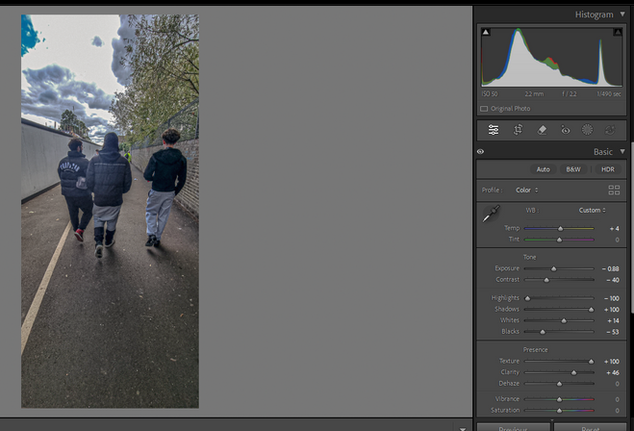
This screenshot displays me using lightroom to edit the picture, and change the look, exposure etc. I wanted to make the clouds darker, and the sky more vibrant, as before it was dull.